Jobsite photo app for Android
FieldFoto files every jobsite photo by project, floor and room the moment you take it. Tag it on the plan, keep a numbered snag list with blue tape on the photos, compare before and after, and send a PDF site report from your phone.
Get it on Google PlayFree to try. No account. No subscription. Your photos stay on your phone.
One app for the photos every job runs on: snagging, punch lists, progress, inspections and handover.
Every room has its own numbered snagging list, or punch list if that is what you call it. Type @ to tag the photo of each item, then send the list as its own PDF with every tagged photo, or add it to the end of a site report.
Stick numbered blue tape on the photo, just like on the wall: pick the item from the room's list and tap where it is. Tap the tape later to read the item. Nothing gets lost between the walk and the fix.
Retake the same view week after week with the last photo laid over the camera, so every progress photo lines up for a true comparison.
Ghost the site photo over the camera to take the finish shot from the same spot, then slide between before and after to show the work.
Turn a site visit into a letter-size PDF report with your logo, the address, the weather, the plan and the photos with their notes.
Record defects with arrows, call-outs, highlights and real dimensions drawn on the photo, while the original photo stays untouched.
Hand over finish photos of every room, linked to the site photos that show what is behind the walls.
Document rooms, joinery and finishes space by space, numbered 101, 102, 103 to match the drawings.
Send photos, a zip of the job or the report by email or Drive, or pass the project to a colleague's phone to add to.
Used by general contractors, site managers, superintendents, project managers, subcontractors, fit-out and joinery teams, remodelers, inspectors and property managers.
Everything a jobsite photo needs, from the moment it is taken to the report that goes to the client.
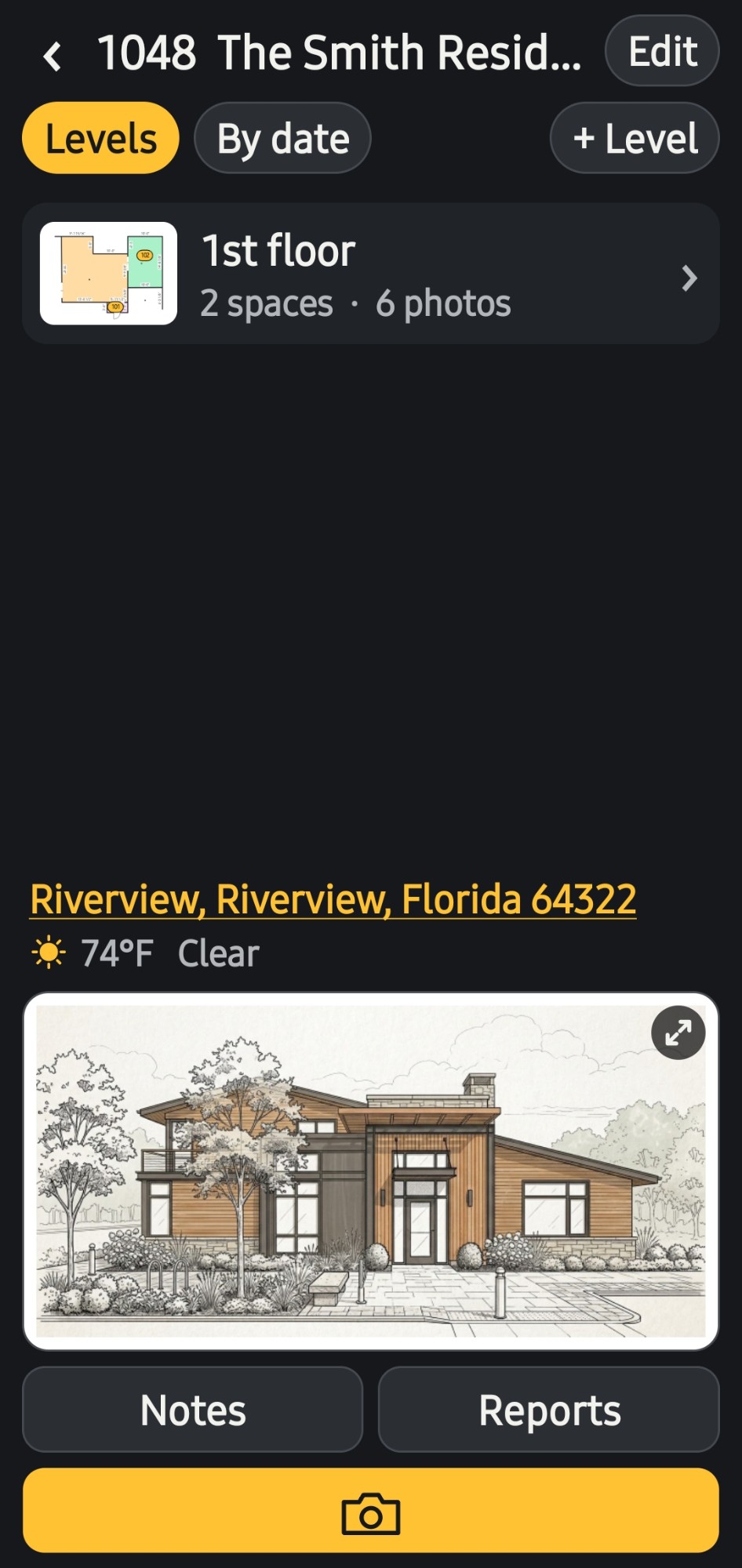
Projects split into levels and spaces, numbered the architectural way, 101, 102, 103, with room name suggestions for the type of job.
Site photos are named by your own naming convention, such as 1048_0005, the moment they are taken. No more IMG_4471.
Draw floor plans with walls, doors and areas in real dimensions, or bring in a PDF, a photo of a drawing or a sketch.
Every numbered tag on the plan is a photo, so anyone can see exactly where it was taken.
Retake a photo with the last one laid over the camera, so every version lines up.
Site photos and finish photos kept apart in every room, linked in pairs, tagged yellow and green on the plan.
Two versions, or a site photo and its finish, side by side. Slide left and right to see what changed.
A numbered snag list or punch list in every room, photos tagged with @, and numbered blue tape stuck on the photos where each item is.
Dimensions, text, arrows, boxes, highlights and call-outs, kept apart from the photo so the original is never changed.
Summary, photo log, full report, plans, finish report or snag list, marked-up or clean, each floor on its own page.
A real job, from the list of projects to the site report.
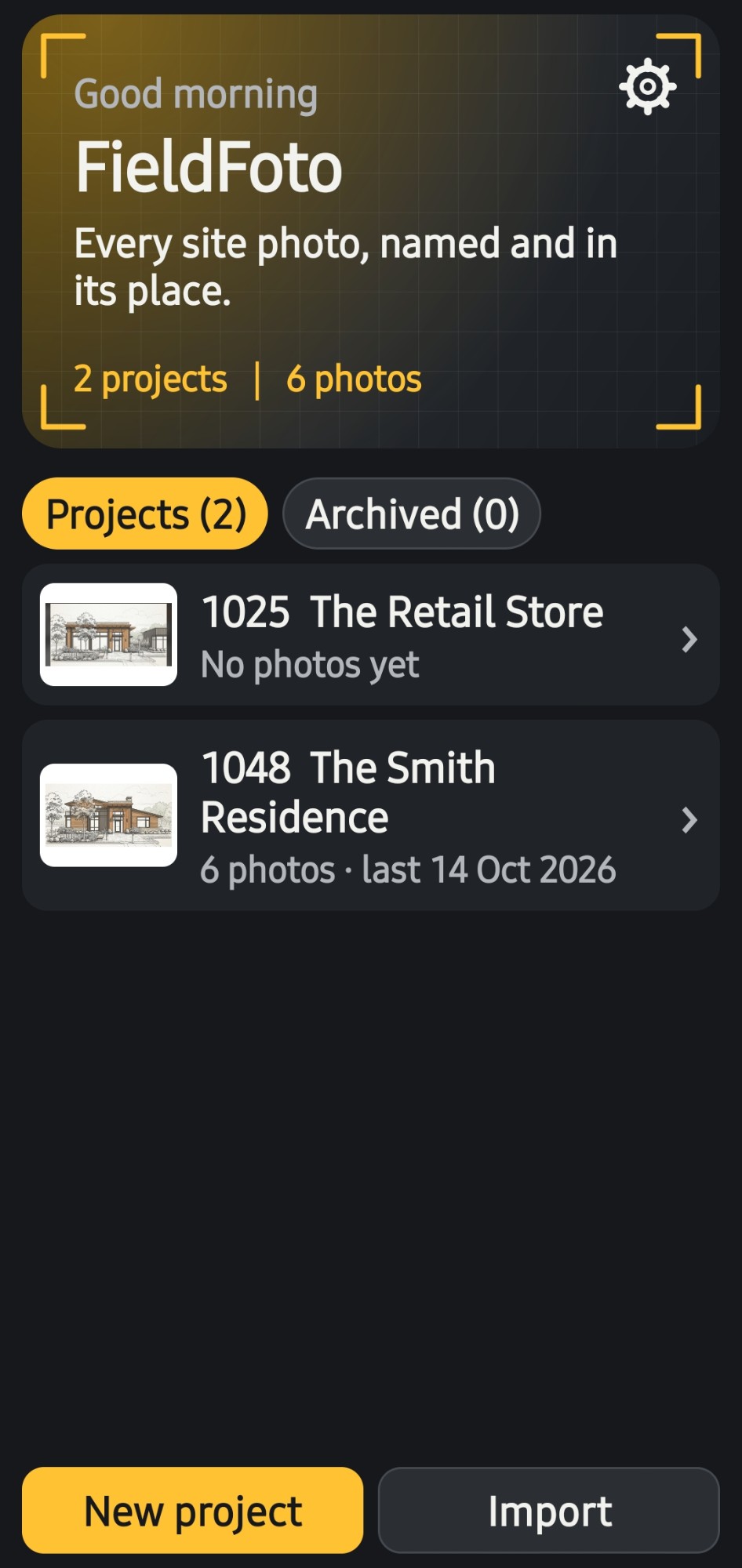
Every job in one list
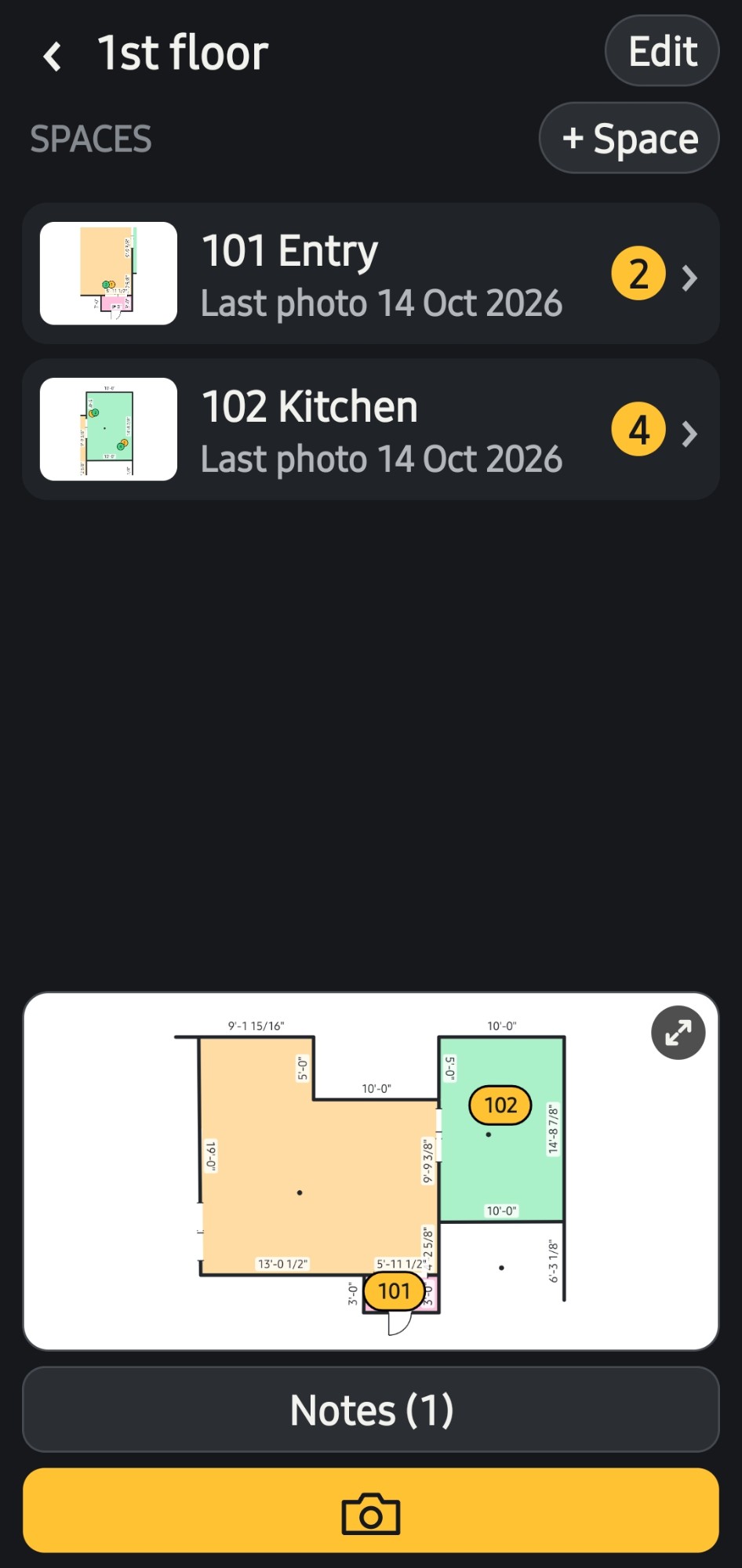
Rooms on every floor
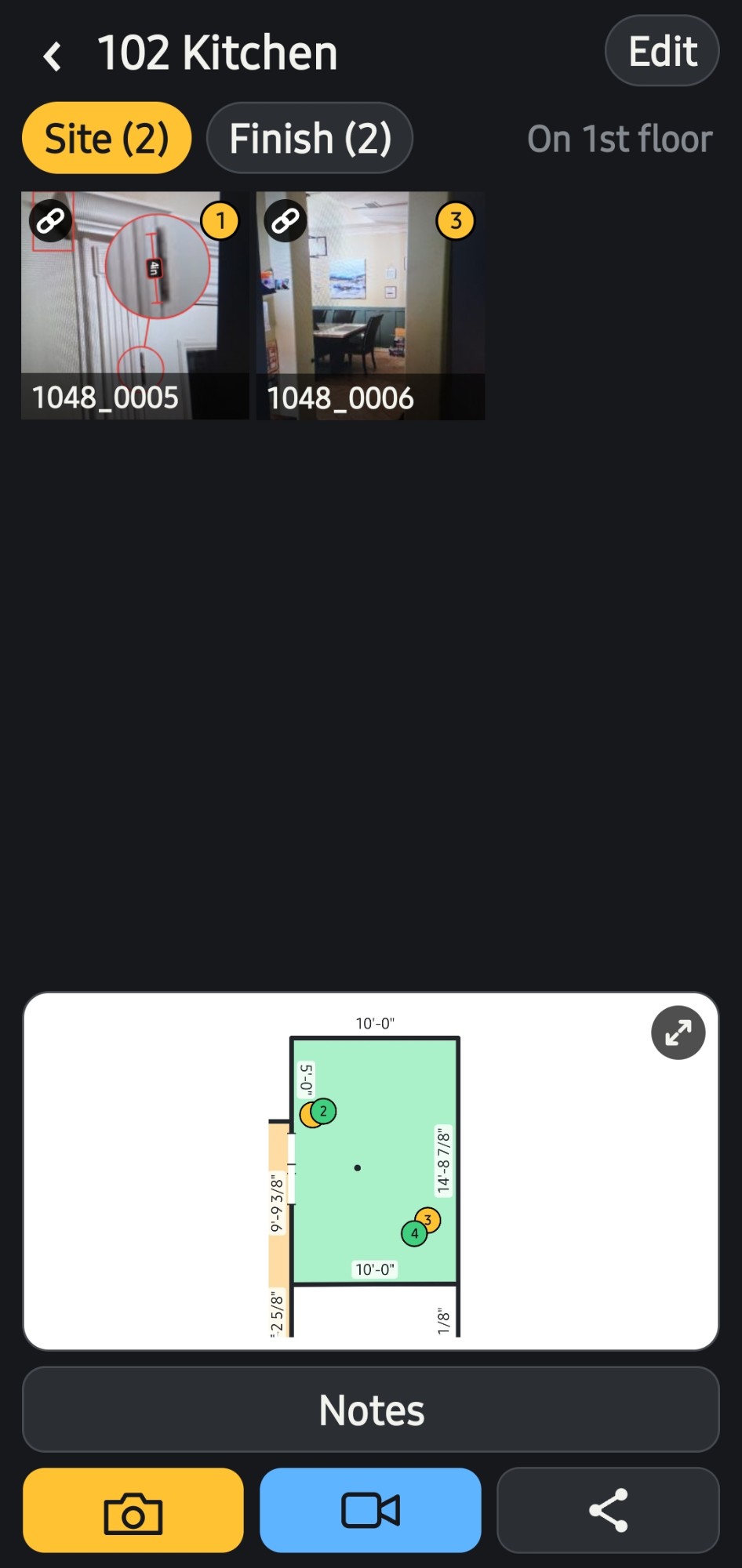
Site and finish photos, tagged on the plan
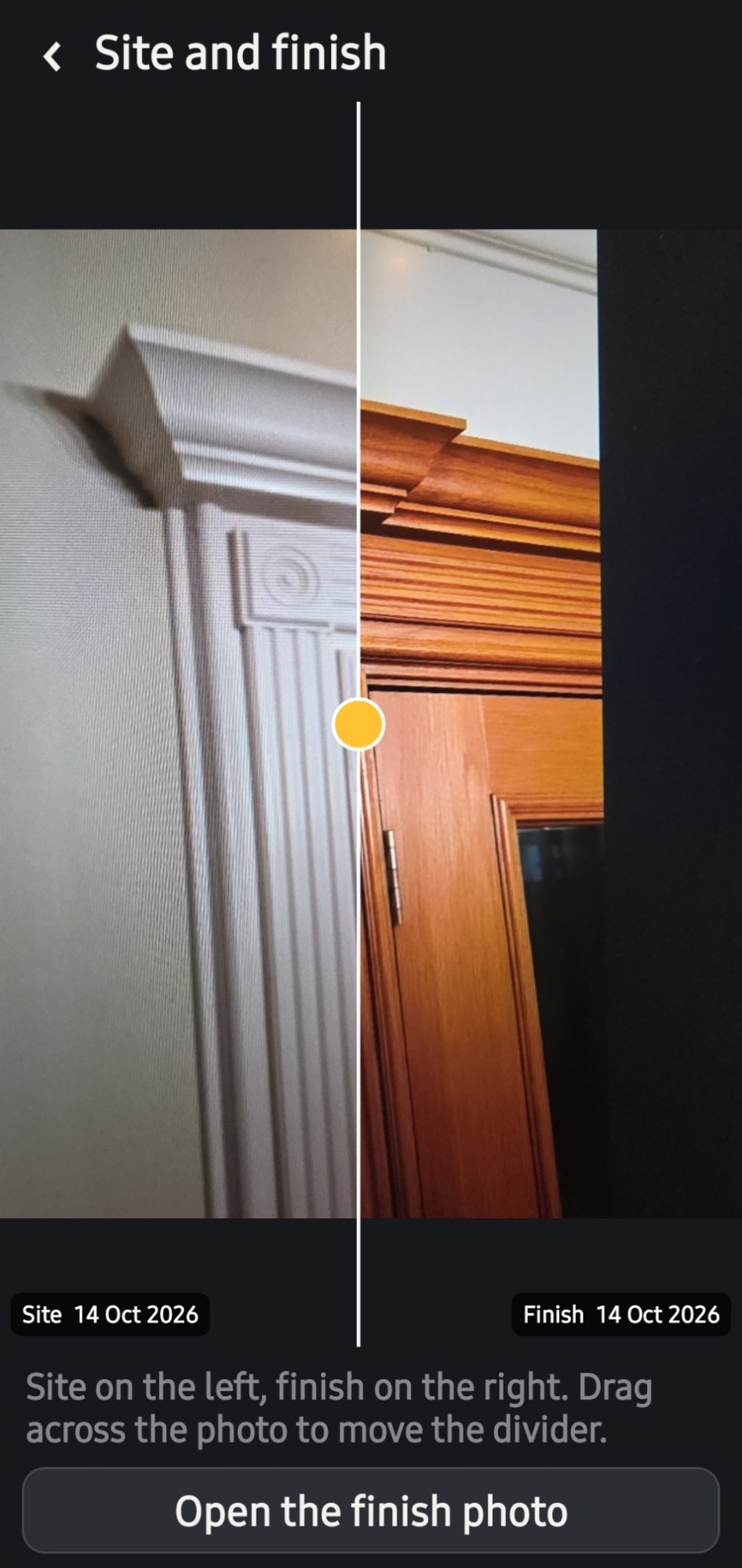
Before and after, slide to compare
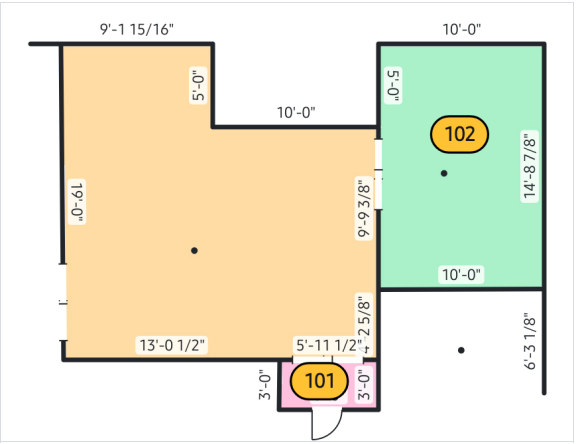
Floor plans drawn on the phone, rooms tagged by number
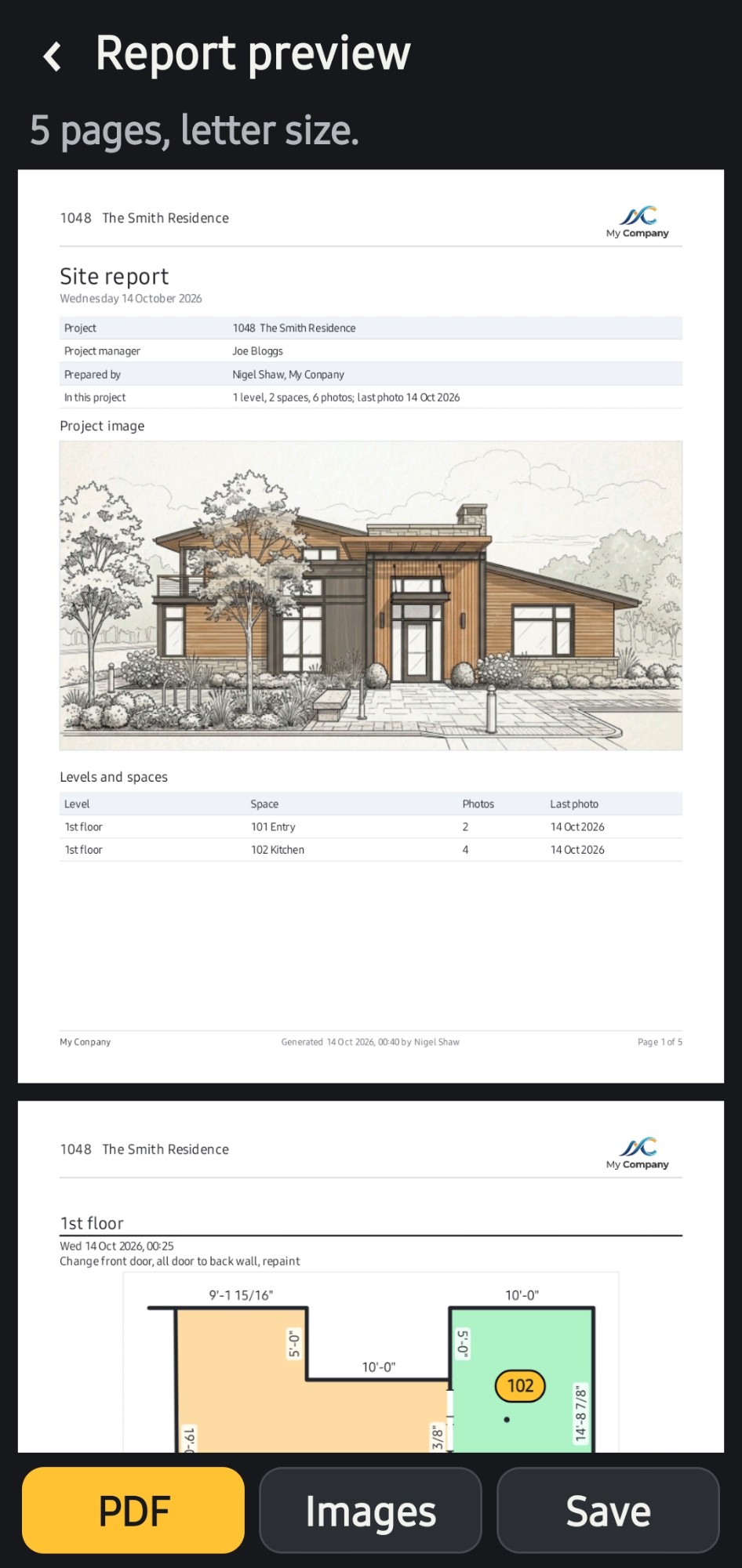
Site reports, previewed before they go out
Download FieldFoto free and use it on a real job. When you need more, one payment of $2.99 unlocks everything, for good.
$0
$2.99 one-time
Launch offer: $1.99 for the first two weeks
US price. Google Play shows the price in your own currency.
Get FieldFoto on Google PlayYes. Every room has its own numbered snag list (call it a punch list in Settings if you prefer). Write each item, type @ to tag its photo, and stick numbered blue tape on the photo where the item is. The list has its own PDF report with every tagged photo under it, and it can be added to the end of any site report.
Yes. Walk the job with the client, add each item to the room's snag list as you go, photograph it, and stick a numbered blue tape on the photo where the real tape is. Tap a tape on the photo to read its item. Every photo is filed in the right floor and room and tagged on the plan.
Take the site photo first. Later, take the finish photo with the site photo laid over the camera as a ghost, so both are taken from the same spot. The two are linked, and you can slide between them to compare.
No. There is no account and no subscription. FieldFoto is free to try, and FieldFoto Pro is a single one-time purchase on Google Play. Your photos stay on your phone.
Yes. Share PDF site reports, photos or a zip of a whole project by email, messages or Google Drive, or save photos to the phone's gallery. Another FieldFoto user can open a project file and add to it.
Not yet. FieldFoto is an Android app, available on Google Play.
 FieldFoto